
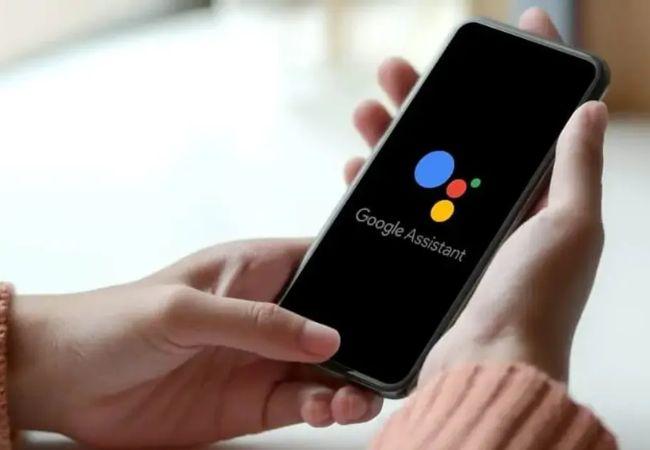
Google Assistant is Google’s answer to Siri on Apple devices and Alexa on Amazon devices. It has a lot of great features, such as finding information for you and playing music. But it can also be a little annoying sometimes, especially when you have other people in your household with Android devices that have enabled.
Luckily, you can turn off Google Assistant for your phone in the app.

Let’s know what it is.
Google’s digital assistant uses machine learning to figure things out for you. You can ask it questions and get answers, see information about your day by step and date, create reminders, or take action on your phone or know about rip full form meaning in hindi.
It can also propose events and make suggestions based on past activities. If you ask, “ok google mera naam kya hai?” Google Assistant will tell your name.
How to Use Google Assistant?
It is a different kind of virtual assistant that uses your location. Once you enable Google Assistant, when you open the app, it will go through a few steps to set everything up and then be ready to use.
When you open the app, you’ll see a home screen with various information. You can swipe left or right to go through other screens; this is where you’ll find all the Google Assistant features. To activate Google Assistant, say, “OK, Google.”
How to Turn Off Google Assistant?
Well, Android users are lucky because you can turn off Google Assistant from the settings on your Android device:
Here’s how to do it:
1) Select the Google app
2) Go to Settings, and then tap Settings
3) Tap General.
4) Tap Disable/Enable (turn off Google Assistant if it is currently turned on).
5) Turn off the toggle next to “Enable the Assist App.”
Check Out: 7 features that will change how you use google assistant
How to turn off ‘Hey Google’ voice commands?
It will respond to the “Hey Google” command if your phone has voice recognition or a companion device (like a Google Home) set up for your account. If you don’t want Google Assistant to respond when someone says, “Hey, Google,” you can turn this off.
- Go to Google App.
- Tap Settings and then go to Google Assistant.
- Tap “OK Google” detection.
- Tap “Hey Google & Voice Match” If you choose to turn off voice recognition entirely, you can also scroll down and Toggle Off the settings.
When someone says “Hey Google,” Google Assistant will not respond to the “Hey Google” command if you disable voice recognition on your Android phone.
However, it will still react if you say the phrase on a device with voice recognition set up for your account (like a Pixel or other devices with the Google Assistant app).
How to turn off Google Assistant on Google Home Devices?
You cannot turn off “Hey Google” on Google Home intelligent speakers, but you can turn off the voice activation feature in this Google Home app at any time, in which case Google will not respond to your voice.
To turn it on and off the microphone, press the speaker’s microphone button. This button can be found on the back of Google Home and Google Nest speakers, as well as on Google Home Mini and Google Nest Mini speakers, right next to the power plug.
Conclusion
Google Assistant is still in its early days, but it’s good to see that you can turn it off if you want to.
You can quickly turn off the voice matches on your Google Assistant devices, and if you don’t want to be bothered by them, disable them altogether.
It’s a pretty cool feature. You must know how to use voice commands and turn off the microphone.
Check Out: How to Create a Power Automate Flow for Your Business?
Exclusive For You!
🚀 Ready to take your business to the next level? Look no further than Walltronix! We're your go-to experts for all things digital, dedicated to helping businesses of all sizes thrive. 🌟 Imagine a future where innovation and creativity reign supreme. That's what we're all about. 🎨 From jaw-dropping design and development to turbocharged SEO services, we've got your digital needs covered. 💻✨ Join us on this exciting journey to digital success! 🌐💼
Walltronix core services encompass:
- Digital & Social Media Marketing
- Website Design & Development
- E-commerce Development
- Native Mobile Applications
- Web & SaaS Applications
- SEO & Backlink Generation
- Content Management
- Blog creation & monetization
Unlocking Your Potential with Walltronix:
Discover a range of Free invaluable tools, thoughtfully crafted to enhance your digital journey:
- Bolt: Website audit & SEO report generator Tool
- The SMS City: Premium WhatsApp & SMS messaging Platform
- Sizzly: Advanced URL shortner, Custom CTA, Bio Pages & much More
- Optimus: Track live website visitors & traffic
- Mosh: Ultimate website widgets & conversion generator
Elevate your digital presence and engage your audience effectively with Walltronix. Join hands with us, and let's shape your digital future together.
Visit Website
Mail Us
WhatsApp Us
Our Portfolios


